Voice Recorder
Record right in your browser — recordings never leave your device
0:00
Pressing the button will ask for microphone permission.
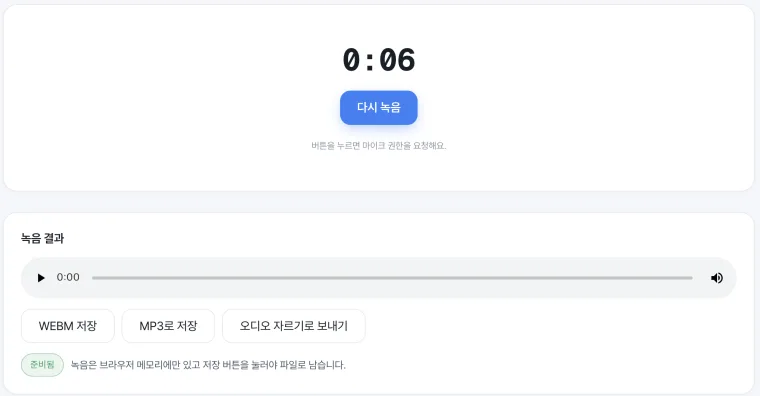
Record audio in your browser with nothing to install. Play it back instantly, save as WebM or MP3, or send it straight to the Audio Cutter for trimming. The recording stays in browser memory until you press save.
What you can do
- ✓One-click record/stop
- ✓Instant playback
- ✓Save WebM or MP3
- ✓Send straight to Audio Cutter
How to use
- 1Press Start and allow the microphone
- 2Stop and review the playback
- 3Save as MP3 or send to the cutter
Supported formats · Microphone → WebM · MP3
No install, no sign-up — record right in your browser with one button. Meeting notes, rehearsals, voice messages — record, play it back on the spot, then save as MP3 or hand it to the audio cutter to trim. The recording stays inside this browser until you save it and never leaves your device.
How to use it
- 1Press Start recording and allow microphone access.
- 2Speak, then stop when you're done. You can play it back right away.
- 3Save the WEBM original or MP3, or send it to the audio cutter to trim the ends.
Great for
For example, it's perfect for quickly capturing a meeting or lecture as audio, or taking an interview note.
It's also great for recording a rehearsal to listen back, or making a short voice message to send.
Record → check → save
Play back what you recorded on the spot and save it as the original (WebM) or MP3. Want to cut off silent ends or a mistake? One tap of 'Send to audio cutter' lets you trim it further.
Frequently asked questions
Do I need to install or sign up?+
No. Record right in your browser, and the recording never leaves your device until you save it.
Why does it need microphone permission?+
Recording requires the browser to access your mic. Even when allowed, the sound is processed only inside this browser and never sent to a server.
What format does it save?+
You can save the WebM original or MP3. The exact format can vary a little with browser support.
Can I trim the recording?+
Yes. Tap 'Send to audio cutter' to keep just the span you want and add a fade.
Related tools