Guides
Anleitungen
Praktische Anleitungen und Einblicke zum sicheren Umgang mit Ihren Dateien im Browser. Jeder Artikel ist direkt mit dem entsprechenden Tool verknüpft.
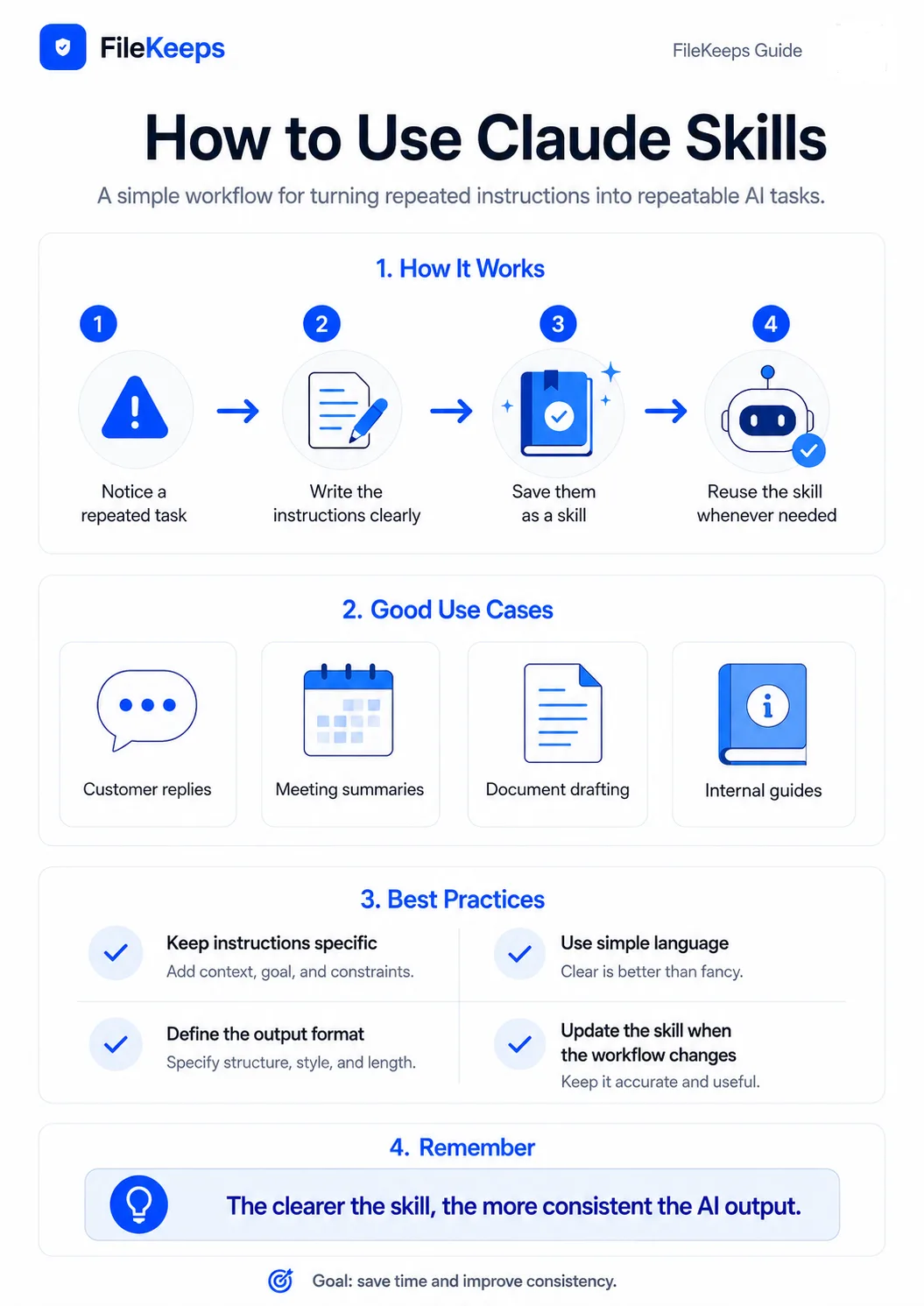
What are Claude Skills? A Smarter Way to Delegate Repetitive Tasks to AI
How to assign specialized skills to AI for consistent results without repeating instructions every time, covering Claude Skills, practical use cases, and privacy.
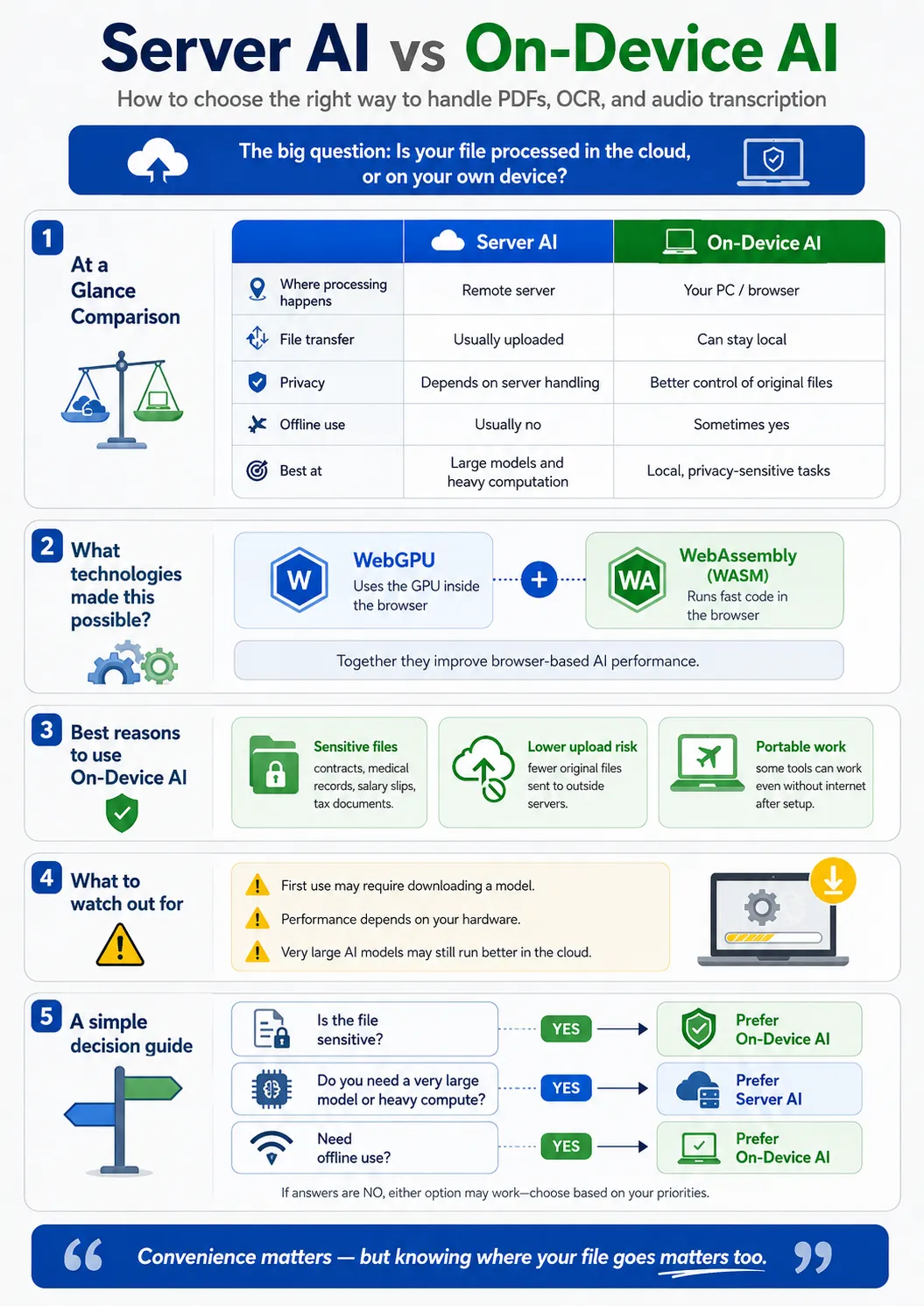
What is On-Device AI? How to Process PDF Summaries and Speech-to-Text Locally on Your PC
Understand the pros and cons of on-device AI running AI models directly inside your browser via WebGPU and WebAssembly.
How to Remove an Image Background — With AI, In Your Browser, No Upload
How to remove the background from portrait or product photos with AI and save them as transparent PNGs — processed inside your browser, with no upload.
Convert Dozens of Images at Once (as a ZIP, In Your Browser)
How to convert many images to another format at once, shrink their size, and download them as a ZIP — with parallel processing and resume, all inside the browser.

How to Add Page Numbers to a PDF (In Your Browser, No Upload)
How to stamp a page number on every page of a report or contract PDF — processed inside your browser, without sending the file to a server.
How to Convert M4A or WAV to MP3 (In Your Browser, No Upload)
How to convert audio files between MP3, WAV, M4A, OGG, and more — transcoded directly inside your browser with FFmpeg.
Summarize and Question a Long PDF with AI (In Your Browser, No Upload)
How to summarize a PDF of dozens of pages with AI and ask it questions directly — analyzed inside your browser, without sending the document to a server.
Turn a Meeting Recording into Notes Automatically (In Your Browser)
How to auto-transcribe a meeting or interview recording and summarize it with AI into meeting notes — processed in your browser by default.