Guides
Anleitungen
Praktische Anleitungen und Einblicke zum sicheren Umgang mit Ihren Dateien im Browser. Jeder Artikel ist direkt mit dem entsprechenden Tool verknüpft.
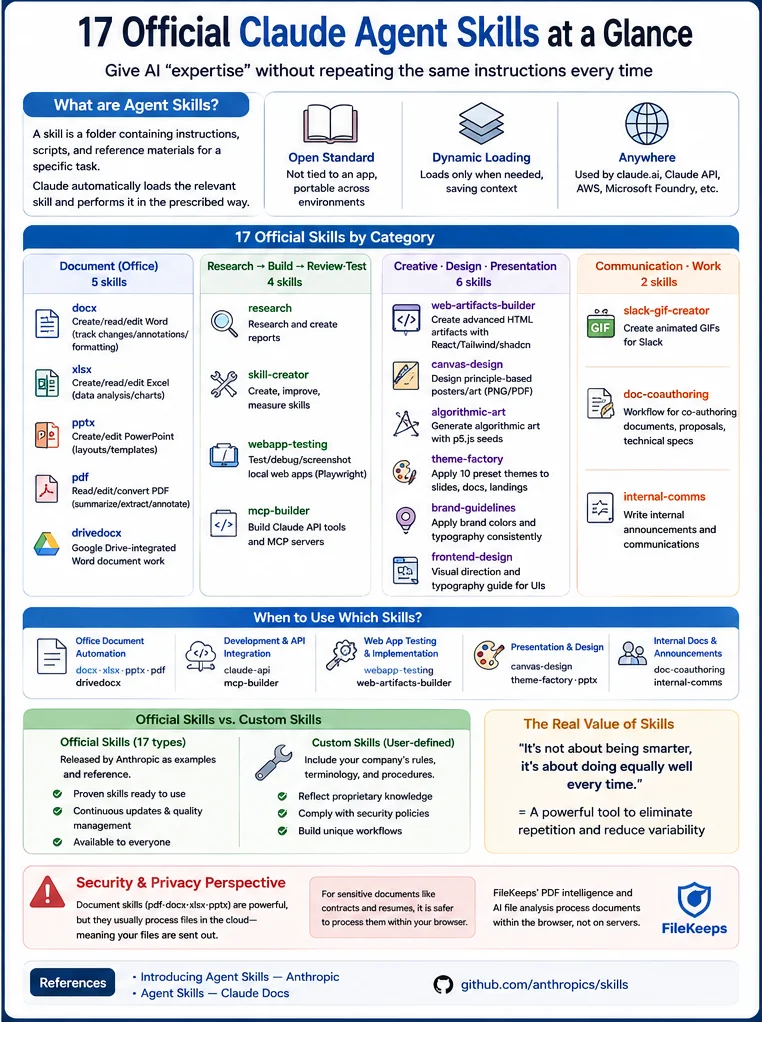
Automatically Create Presentation Slides with Claude: pptx and theme-factory Skills
Learn how to draft slide decks using Claude's pptx skill and apply unified designs with theme-factory to cut down your presentation prep time.
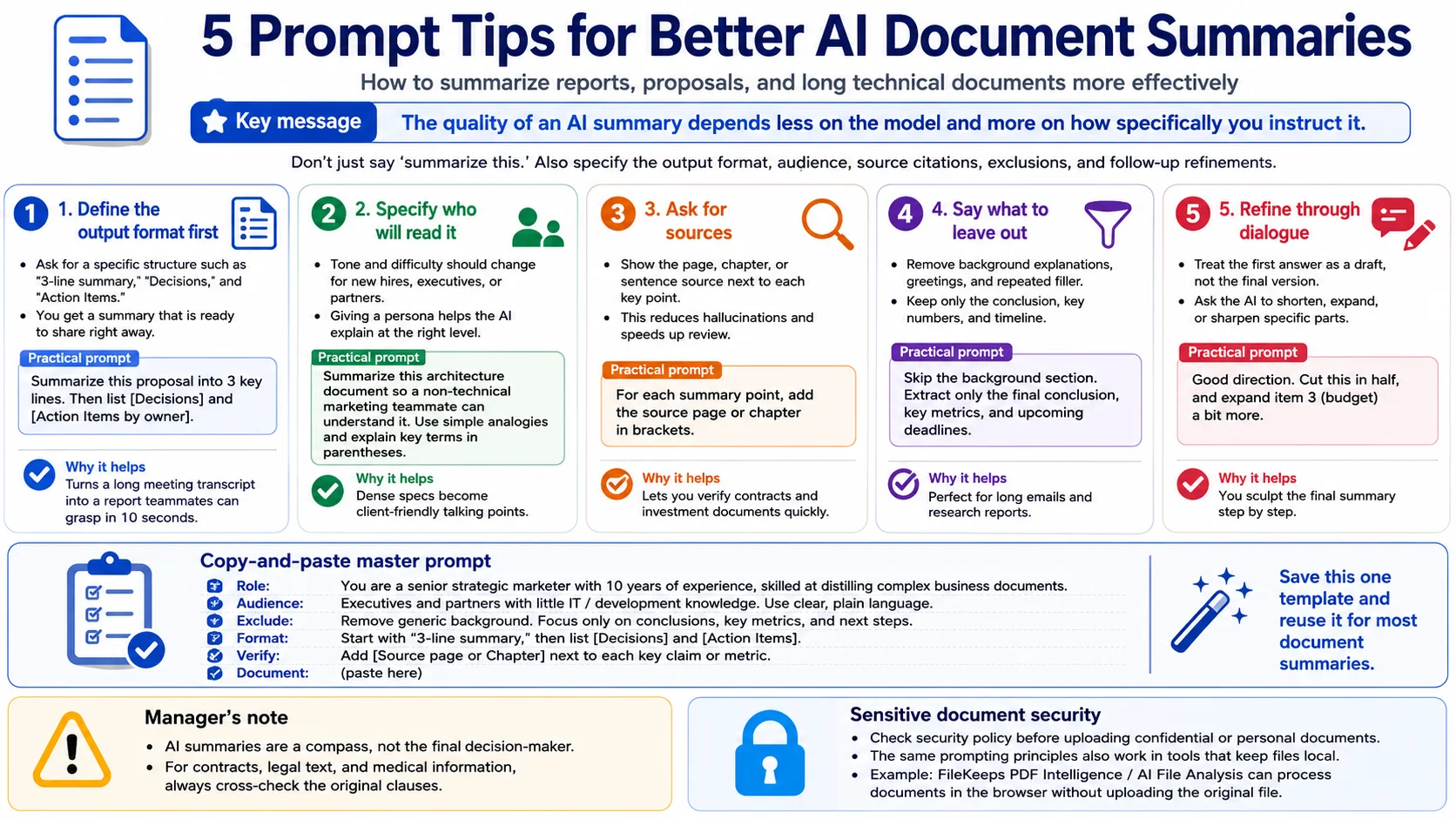
Still Just Typing "Summarize This"? 5 Prompts That Level Up AI Document Summaries
'Summarize this' gives you flat results. Five prompts — shape, audience, sources, cutting, and iteration — that change the quality, with real work examples.
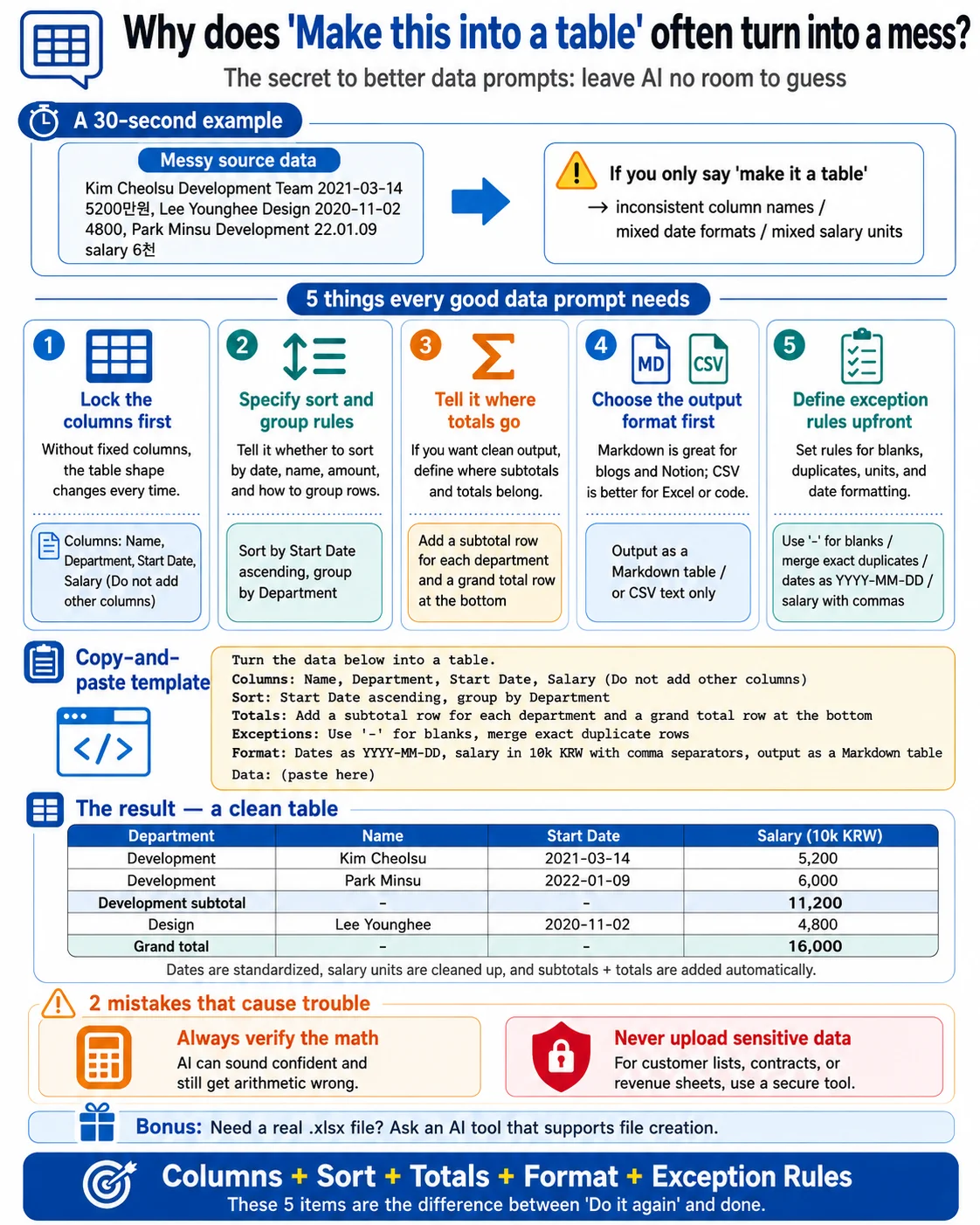
How to Get AI to Clean Up Tables and Data (5 Prompts)
Real-world prompts that turn messy data into clean, paste-ready tables — columns, sorting, aggregation, format, and handling odd values.
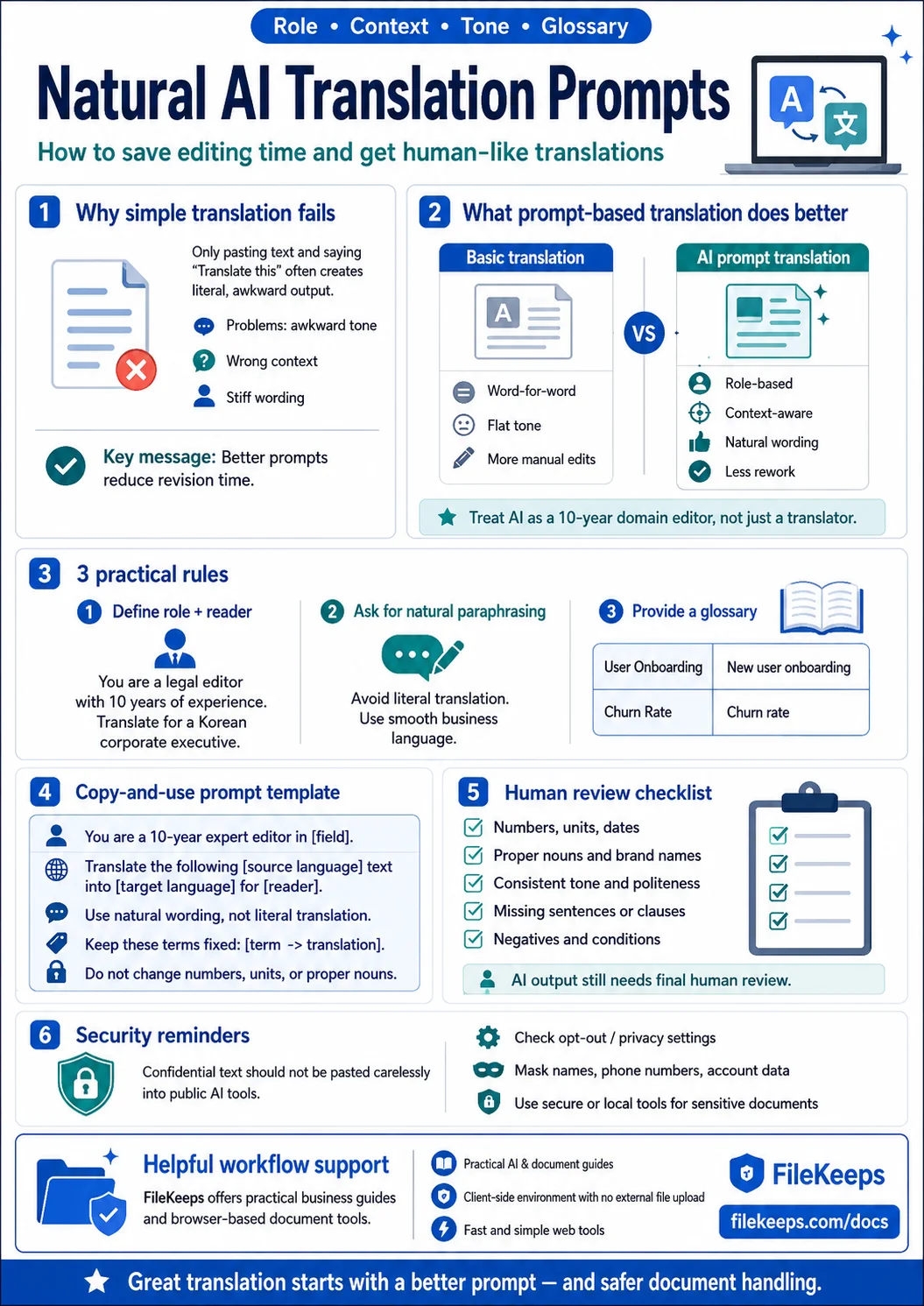
AI Translation: Don't Just Paste It Into a Translator — A Practical Guide to Prompting
Stop pasting your source text and just saying 'translate this.' A hands-on guide to AI translation prompts that set the role, context, and glossary to produce natural, human-sounding results — plus what to double-check afterward.
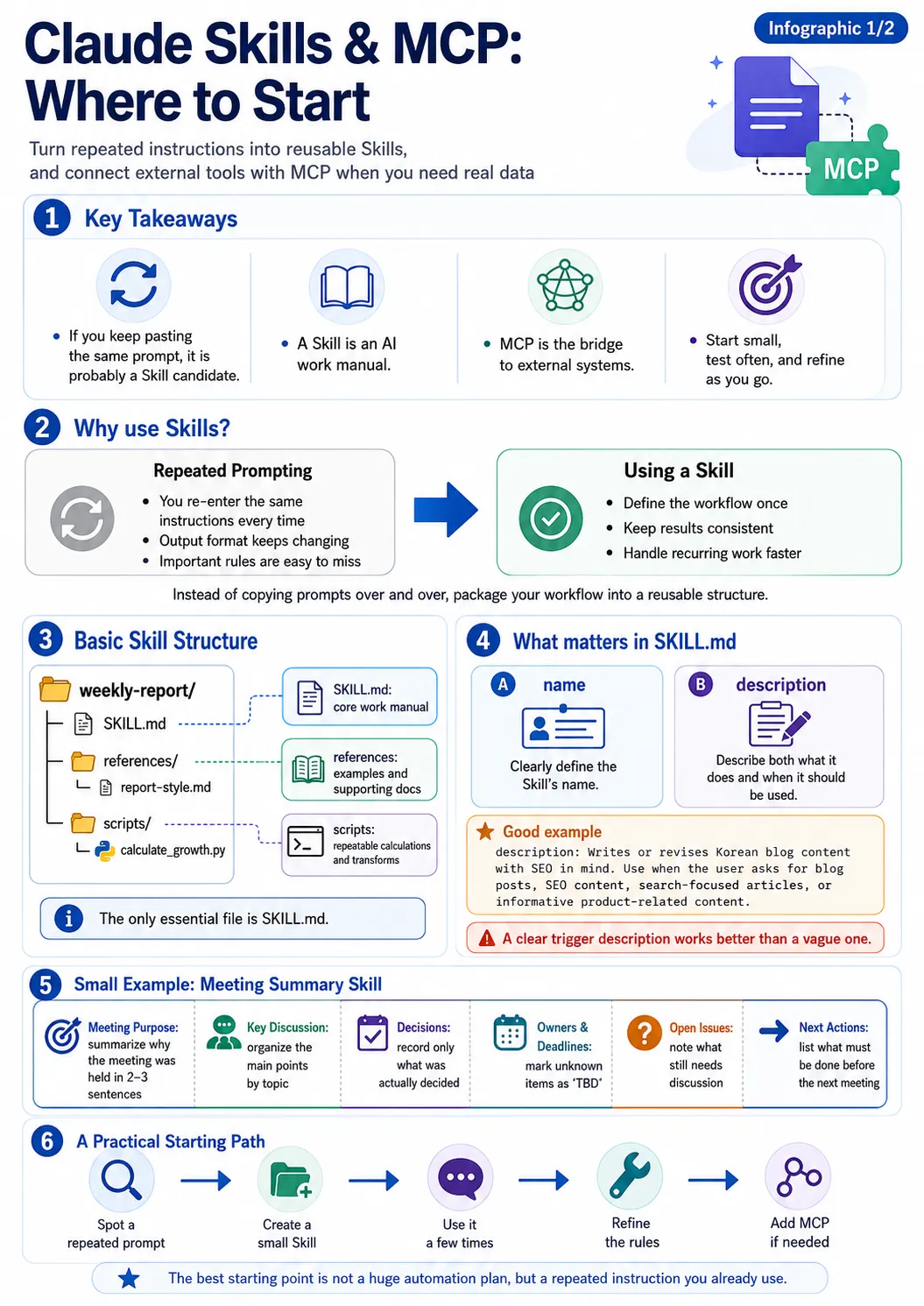
Creating Your Own Claude Skills: An Introduction to skill-creator and mcp-builder
Learn how to bundle repetitive tasks into Claude skills, create skills using the official skill-creator, and connect external tools with mcp-builder.
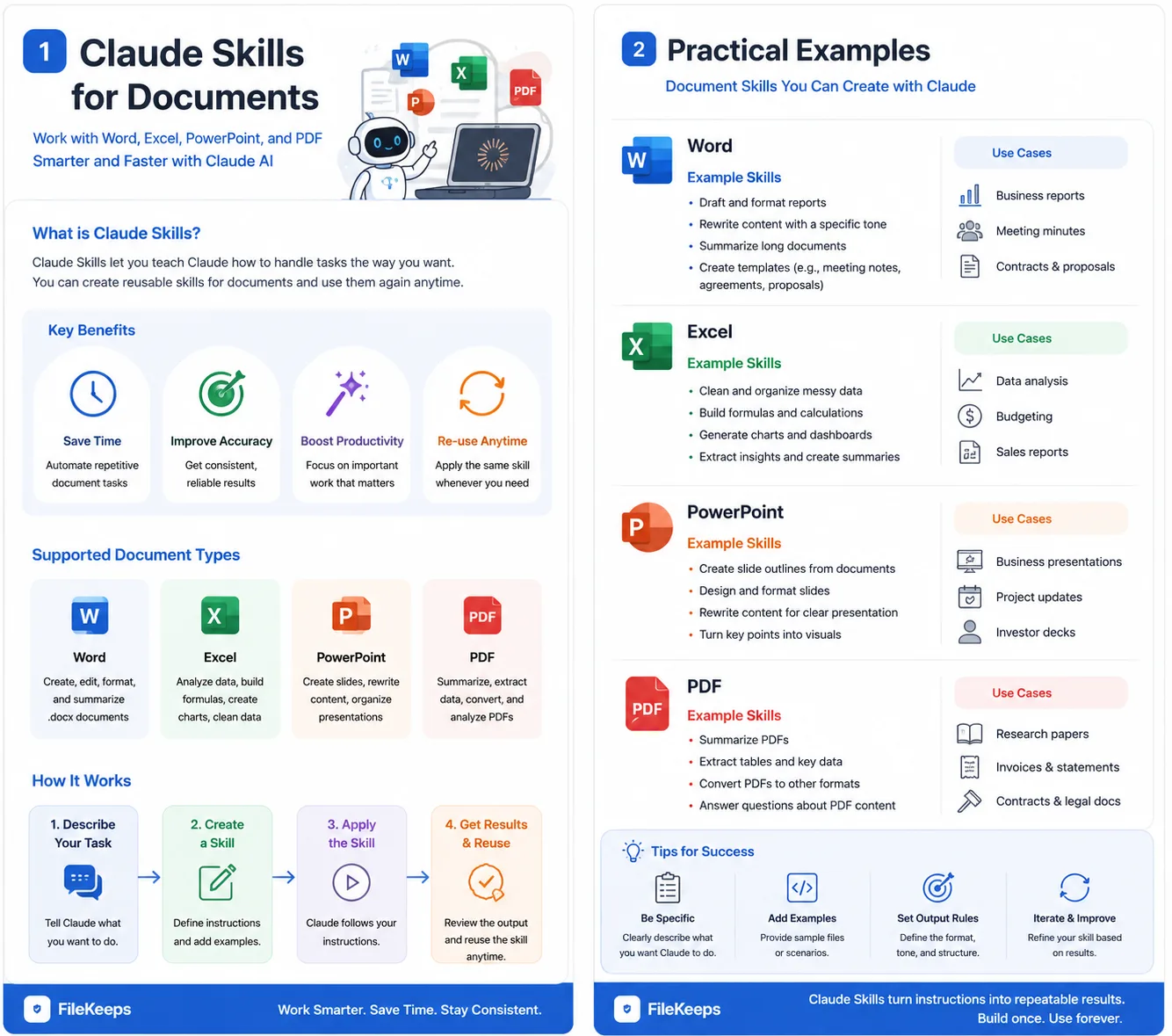
How to Automatically Generate Word, Excel, PPT, and PDF with Claude: 4 Essential Document Skills
Learn how to automatically create and edit office documents using Claude's official document skills (docx, xlsx, pptx, pdf), along with best practices for handling sensitive files securely.
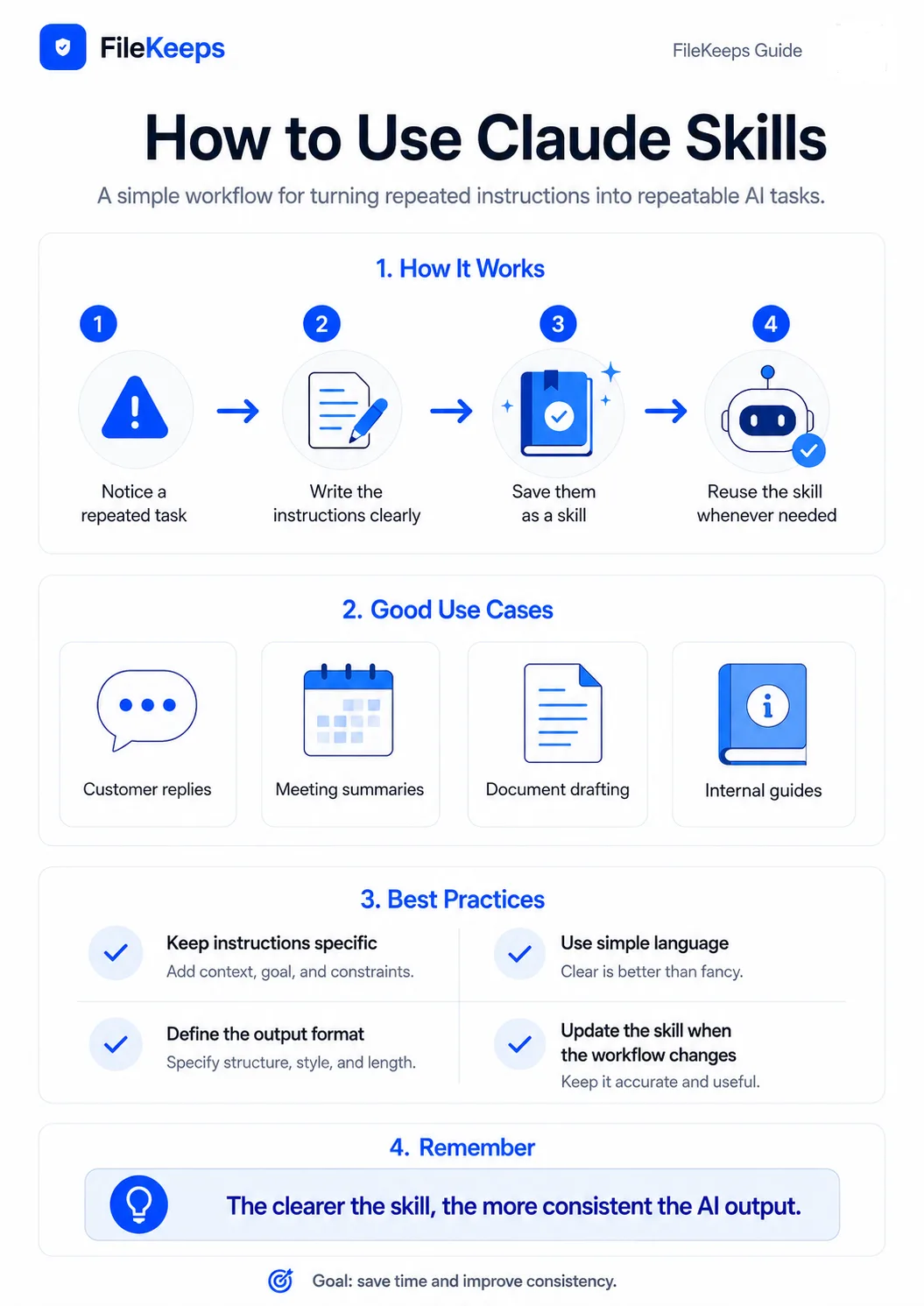
What are Claude Skills? A Smarter Way to Delegate Repetitive Tasks to AI
How to assign specialized skills to AI for consistent results without repeating instructions every time, covering Claude Skills, practical use cases, and privacy.
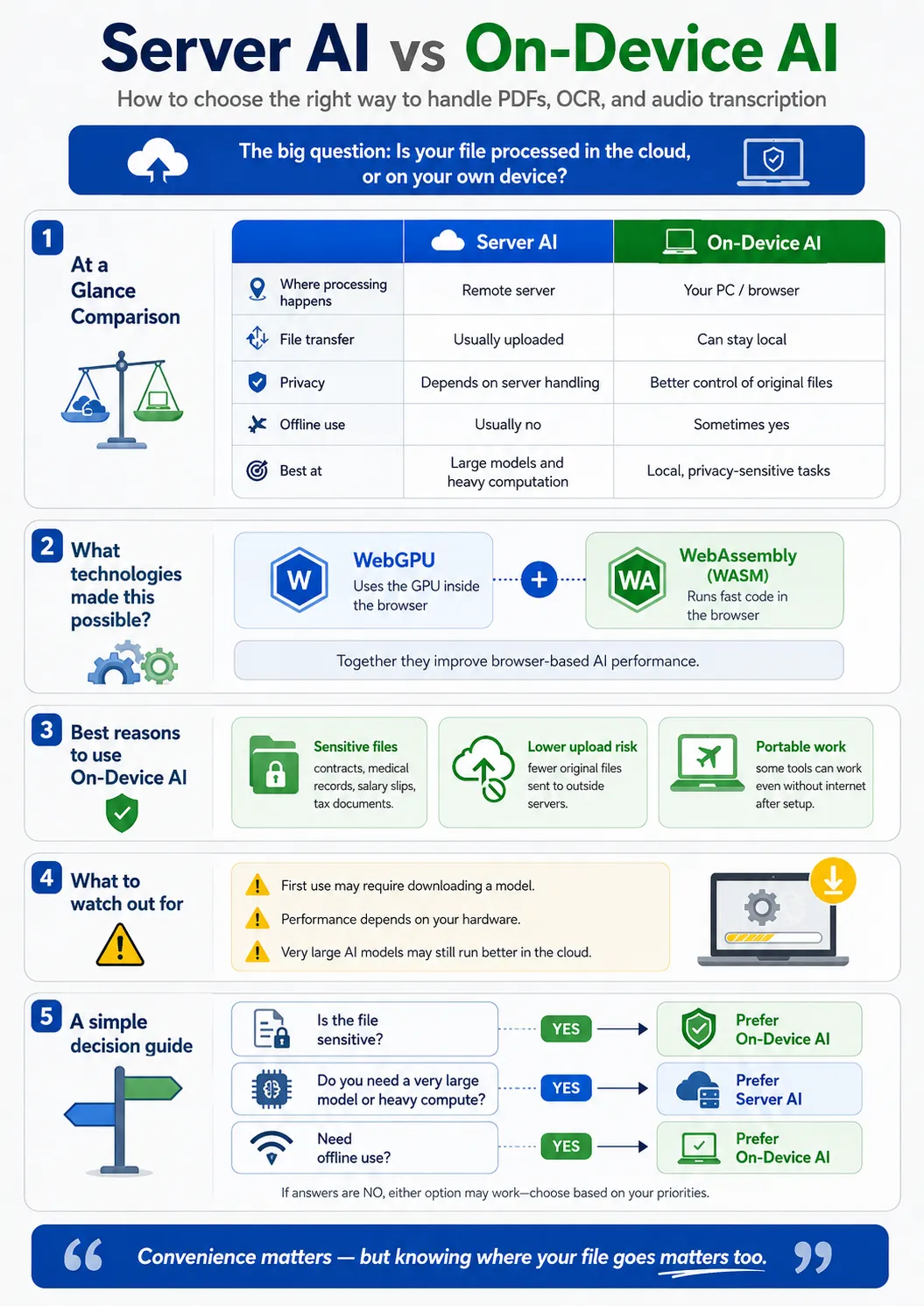
What is On-Device AI? How to Process PDF Summaries and Speech-to-Text Locally on Your PC
Understand the pros and cons of on-device AI running AI models directly inside your browser via WebGPU and WebAssembly.