Guides
Guides
Guides pratiques pour manipuler vos fichiers en toute sécurité dans votre navigateur. Chaque article renvoie directement à l'outil correspondant.
How to Sign a PDF — Add a Handwritten Signature Without Printing or Scanning
How to sign a contract or consent form PDF you received by email and send it back: draw with a mouse or finger, or place a signature image, on the page and position you choose, then save a new PDF. No upload. Includes an honest note on legal validity.
How to Add a Stamp to a PDF — Make a Seal Image and Place It Where You Need
Two steps to stamp a PDF quote, contract, or form: make a seal image (transparent PNG) from a name, then place it on the page and position you want with the PDF Sign tool and save. Using an existing stamp, and how this differs from a registered seal.
How to Remove a PDF Password — With the Password You Know (In Your Browser)
Turn a PDF that demands a password on every open into a plain PDF. Both the file and the password stay inside your browser — nothing is sent to a server.
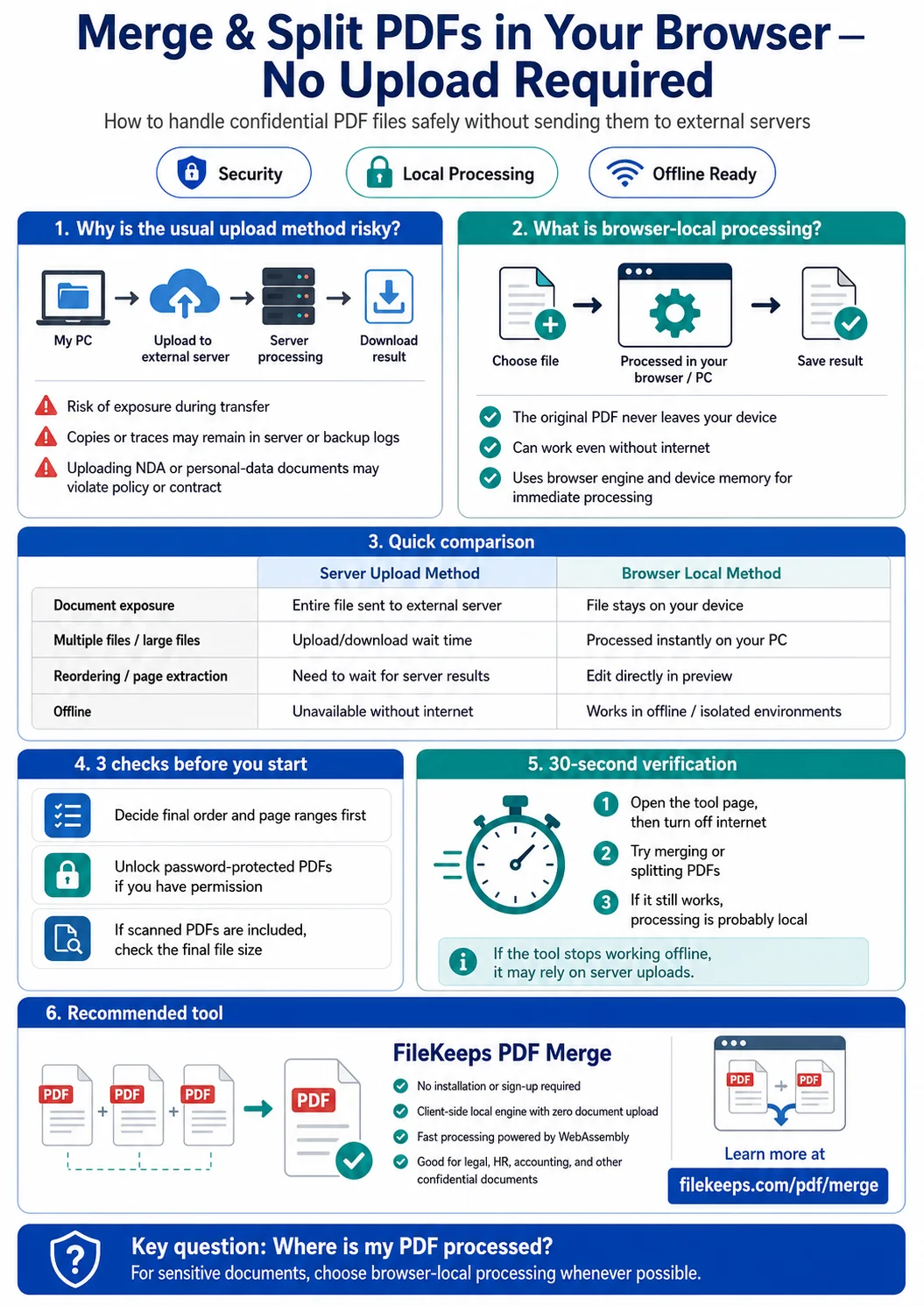
Merging and Splitting PDFs Entirely in Your Browser, No Upload Required
How to combine several PDFs into one or pull out only the pages you want, processed safely inside your browser without uploading your files to a server.
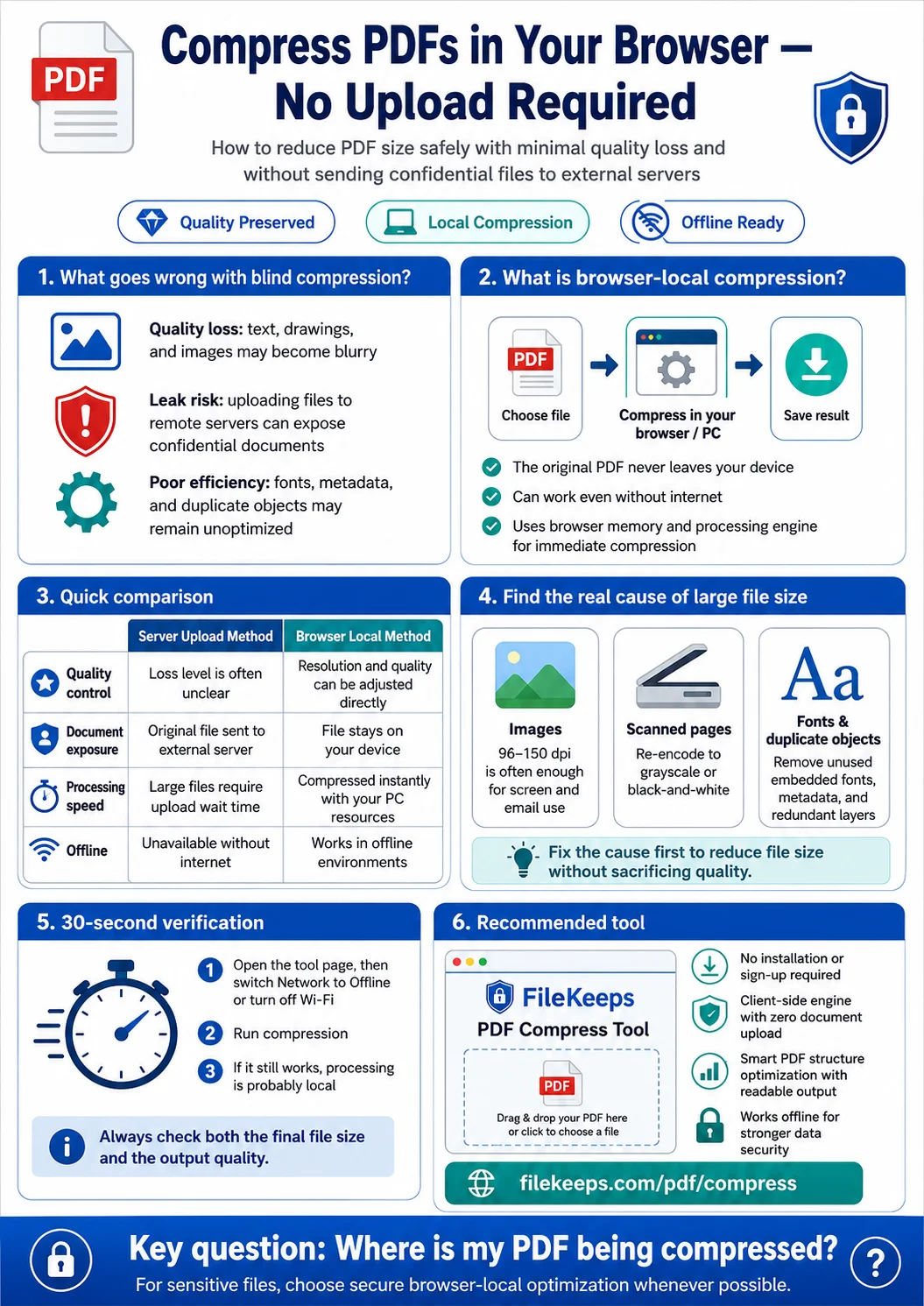
How to Shrink a Large PDF in One Go — Without Quality Loss or Leak Worries
Practical ways to slim down heavy PDFs that keep hitting email-attachment or upload limits.
How to Add Page Numbers to a PDF (In Your Browser, No Upload)
How to stamp a page number on every page of a report or contract PDF — processed inside your browser, without sending the file to a server.
Can You Convert a PDF to Word? What Works in the Browser — and What Doesn't
Why converting a PDF into an editable Word file is so tricky, and the practical way to safely extract or summarize its text right in your browser.
How to Password-Protect a PDF (and Unlock It) in Your Browser
How to add an open password to sensitive PDFs, and remove it again with a password you know — with the file and password never leaving your browser.