AI Translation: Don't Just Paste It Into a Translator — A Practical Guide to Prompting
Stop pasting your source text and just saying 'translate this.' A hands-on guide to AI translation prompts that set the role, context, and glossary to produce natural, human-sounding results — plus what to double-check afterward.
Whether you're working across borders or dealing with foreign research papers, manuals, and business emails, AI translation tools (ChatGPT, Claude, DeepL, and the like) have become an essential part of the job.
But when you use one, are you simply copying and pasting the source text and asking it to "translate this into Korean"?
The output you get that way is so often full of awkward phrasing, out-of-context mistranslations, and stiff, word-for-word sentences that someone ends up having to rework it from top to bottom.
Today, we'll walk through how to write AI translation prompts that read as if a person wrote them — practical know-how that can cut your editing time by more than 80%.
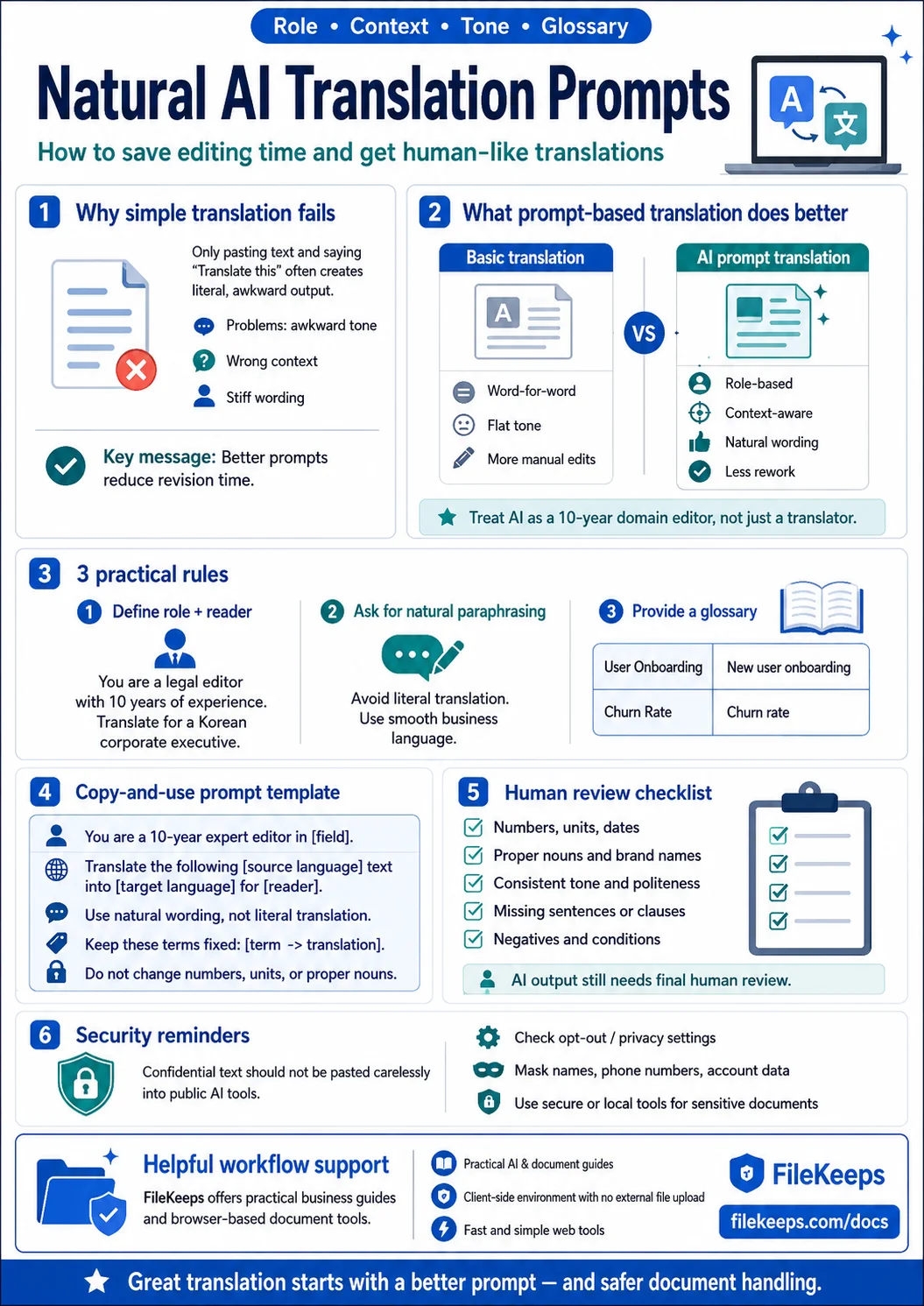
1. The Difference Between Plain Translation and 'AI Prompt Translation'
First-generation machine translation relied on word-for-word, sentence-by-sentence conversion. The latest LLM-based AI (large language models), by contrast, only shows its real strength when you give it a Role, Context, and Tone & Style. The key is to cast the AI not as a mere 'translator' but as 'a seasoned editor with 10 years in the field.'
2. Three Rules for AI Translation Prompts You Can Use Right Away
💡 Rule 1. Define the Persona (Role) and Target Reader
Tell the AI exactly what the document is for and who will read it.
- BAD: "Translate this contract."
- GOOD: "You are an international corporate lawyer with 10 years of experience. Translate the English contract below into Korean so that the head of a Korean company can easily understand it while preserving its legal precision."
💡 Rule 2. Add a 'Paraphrasing' Guideline
Korean and English differ greatly in sentence structure and phrasing. You need to spell out that the AI should avoid literal translation and use natural wording.
[Recommended prompt wording] "Avoid literal translation, and polish the text into the smooth, natural phrasing that Korean business documents commonly use. Where an awkward, English-style construction creeps in (e.g., the stiff passive '~에 의해', or a literal '~를 가지다'), rewrite it with natural Korean sentence endings."
💡 Rule 3. Provide a Glossary Up Front
Defining proper nouns, in-house jargon, and brand names before you translate can dramatically reduce mistranslations.
[Prompt example]
- Term definitions:
User Onboarding➔신규 사용자 정착 과정Churn Rate➔이탈률
3. A Copy-and-Paste Translation Prompt + a Review Checklist
Here's a template that combines all three rules. Just swap out the bracketed parts.
You are a seasoned editor with 10 years of expertise in [field]. Translate the [source language] text below into [target language] so that [audience] can read it easily.
- Polish it into natural [target language] phrasing rather than translating literally
- Keep these terms fixed as follows: [term1 → translation1], [term2 → translation2]
- Do not arbitrarily change numbers, units, or proper nouns
[paste source text here]
Translation Review Checklist
AI translations can look convincing, but a person should always check the following.
- Numbers, units, and dates: Check that things like 12,000 vs. 12000, or miles vs. kilometers, haven't gotten swapped
- Proper nouns and brand names: Check that they haven't been translated at will or awkwardly transliterated
- Consistent register and tone: Check that the tone doesn't waver partway through the document
- Omissions from the source: Check that no sentence or conditional clause has been dropped entirely
- Negatives and conditionals: Check that logic like 'unless...' or 'only if...' hasn't been flipped
4. 💡 Tip: Security Risks to Watch for With AI Translation
There's one thing you absolutely must keep in mind when using AI translation tools. If you paste large volumes of confidential documents, internal contracts, or customer personal data straight into the free tier or default settings of an external AI service like ChatGPT or Claude, there's a risk that the data you enter could be used to train the AI model — a data-privacy issue. So, when you're handling important documents inside a company:
- Check the opt-out setting that keeps your input data from being used for training
- Mask personal data (names, contact details, account numbers, and so on)
- Use a security-verified, locally based environment or a dedicated secure tool
Always pair your AI translation work with measures like these.
🛡️ Safer, More Efficient Document Work and AI Use: FileKeeps
Just as important as using good AI translation prompts is the environment where you safely manage and edit your documents (PDFs, text) before and after translation. FileKeeps, which offers guides and tips, provides a range of business guides that boost your productivity, along with document tools that work safely inside your browser with no server uploads.
- FileKeeps AI File Analysis: https://filekeeps.com/docs
- Key features:
- Practical, hands-on IT guides that boost your AI translation and overall work efficiency
- A client-side environment with no server uploads — not a single byte leaves for an external server when you work on important documents
- A fast, intuitive web service with no software to install and no sign-up
Put these AI prompt-writing techniques to work to raise the quality of your translations, and when you need secure document management, make the most of the FileKeeps guides and tools!