5 Checks Before You Hand a Sensitive Document to an AI
Five things to check before feeding a contract, résumé, or medical record to an AI — a practical bar that keeps both convenience and privacy.
Paste a draft contract into ChatGPT, hit "summarize," and it's effortless. But where did those clauses just go? When the document is a résumé, a medical record, or a customer list — something that shouldn't leave the building — the convenience comes with one unavoidable question: where does my data end up? Run through these five checks before you press enter.
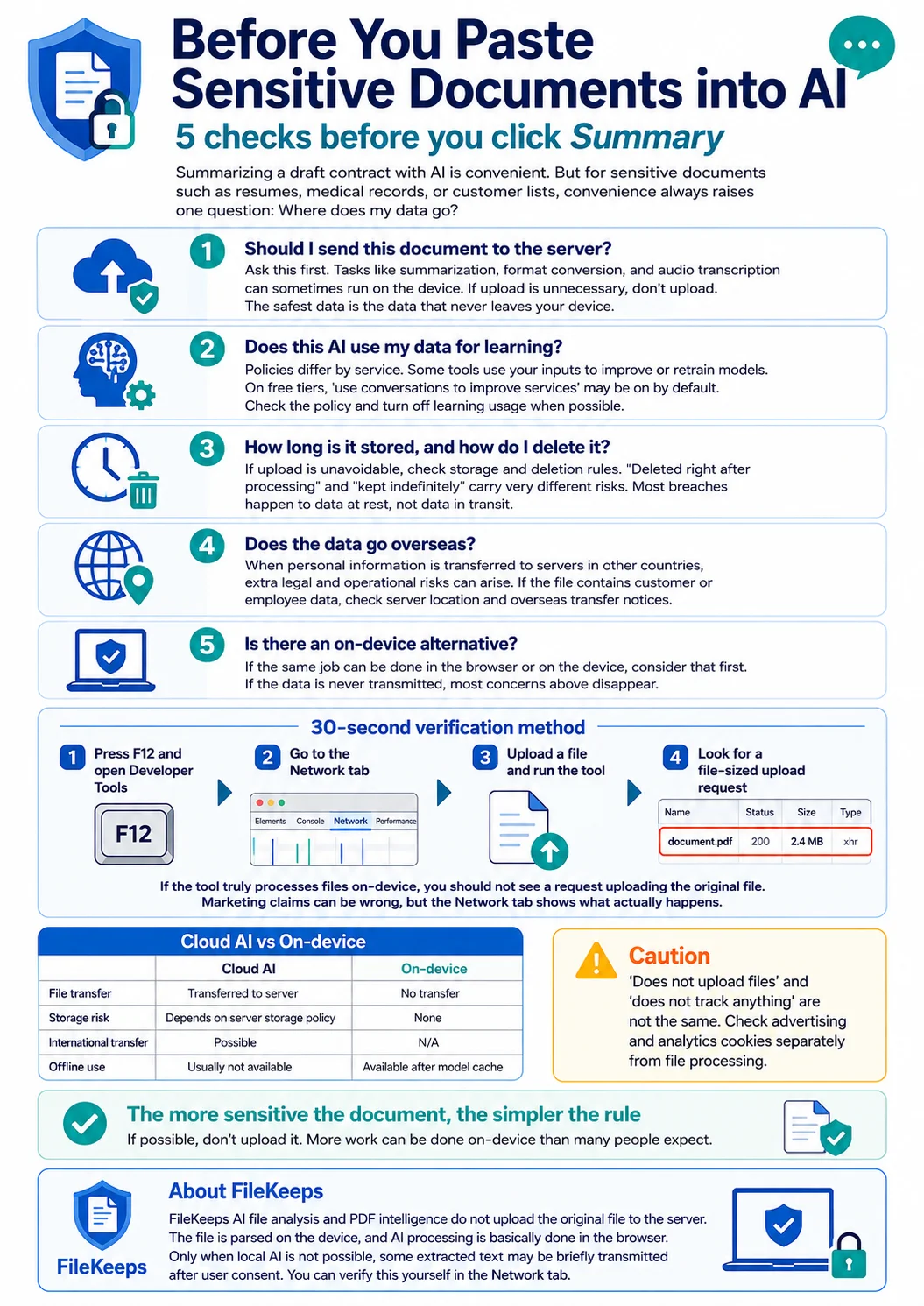
1. Does this document actually need to go to a server?
Ask this first. Summarizing, format conversion, and transcription can all happen on your device. Uploading a file that didn't need to be uploaded is exactly where most leaks begin. Not sending it is the single most reliable defense there is.
2. Does this AI train on my data?
Policies differ by service. Some reuse what you type to retrain their models. Miss this and the contract clause or the name and phone number you pasted can resurface later inside a stranger's answer. Free tiers especially tend to default to "use conversations to improve the service," so turn off training in the settings or check the policy.
3. How long is it kept, and how is it deleted?
If uploading is unavoidable, check the retention and deletion policy. "Deleted right after processing" and "kept indefinitely" are completely different risks. Breaches usually hit data that's stored, not data that's being processed. How long it lingers is how big the risk is.
4. Does the data cross borders?
When a document with personal data moves to servers in another country, you inherit risks that local rules alone don't cover. If the file contains customer or employee information, it's worth checking the server location and any cross-border transfer notice.
5. Is there an on-device alternative?
If a tool can do the same job inside your browser or on your device, consider it first. When the data never leaves in the first place, most of the worries in points 1–4 disappear before you even have to ask them.
Don't take their word for it — a 30-second check
Plenty of tools slap on "secure" and "we don't store anything." The good news: you can see for yourself whether that's true.
- Open your browser's developer tools (F12) and go to the Network tab.
- Leave it open, then upload and process a file in the tool.
- Watch for an upload request the size of your file. If it truly processes only on your device, no request carrying the file will appear.
You can distrust the marketing copy — the Network tab doesn't lie.
At a glance
| Item | Cloud AI | On-device |
|---|---|---|
| File transfer | Sent to a server | Not sent |
| Server storage | Per policy | None |
| Cross-border | Possible | N/A |
| Offline | No | Yes, after model cache |
Note: "We don't upload your files" is not the same as "we track nothing." Ad and analytics cookies are a separate matter from file handling — check them on their own.
The bottom line — the more sensitive, the simpler the answer
The more sensitive the document, the simpler the rule gets: don't upload it if you don't have to. And far more tasks than you'd think can be done without uploading at all.
FileKeeps's AI file analysis and PDF Intelligence never upload your original file. The file is parsed on your device, and AI processing happens in your browser by default (only when on-device AI can't run is a slice of extracted text sent, after you consent). And exactly as this article suggests, you can open the Network tab and verify it yourself.