Still Just Typing "Summarize This"? 5 Prompts That Level Up AI Document Summaries
'Summarize this' gives you flat results. Five prompts — shape, audience, sources, cutting, and iteration — that change the quality, with real work examples.
We live buried in reports, proposals, and long technical docs — dozens of pages a day. So we open ChatGPT or Claude, attach the file, and type:
"Summarize this document."
And the result? Nothing's wrong with it, but it's so flat and generic that you end up rereading the original anyway. The one thing that decides the quality of an AI summary is simple — how specifically you nudge it. Here are five prompt tips you can use at work today, each with a real-world example.
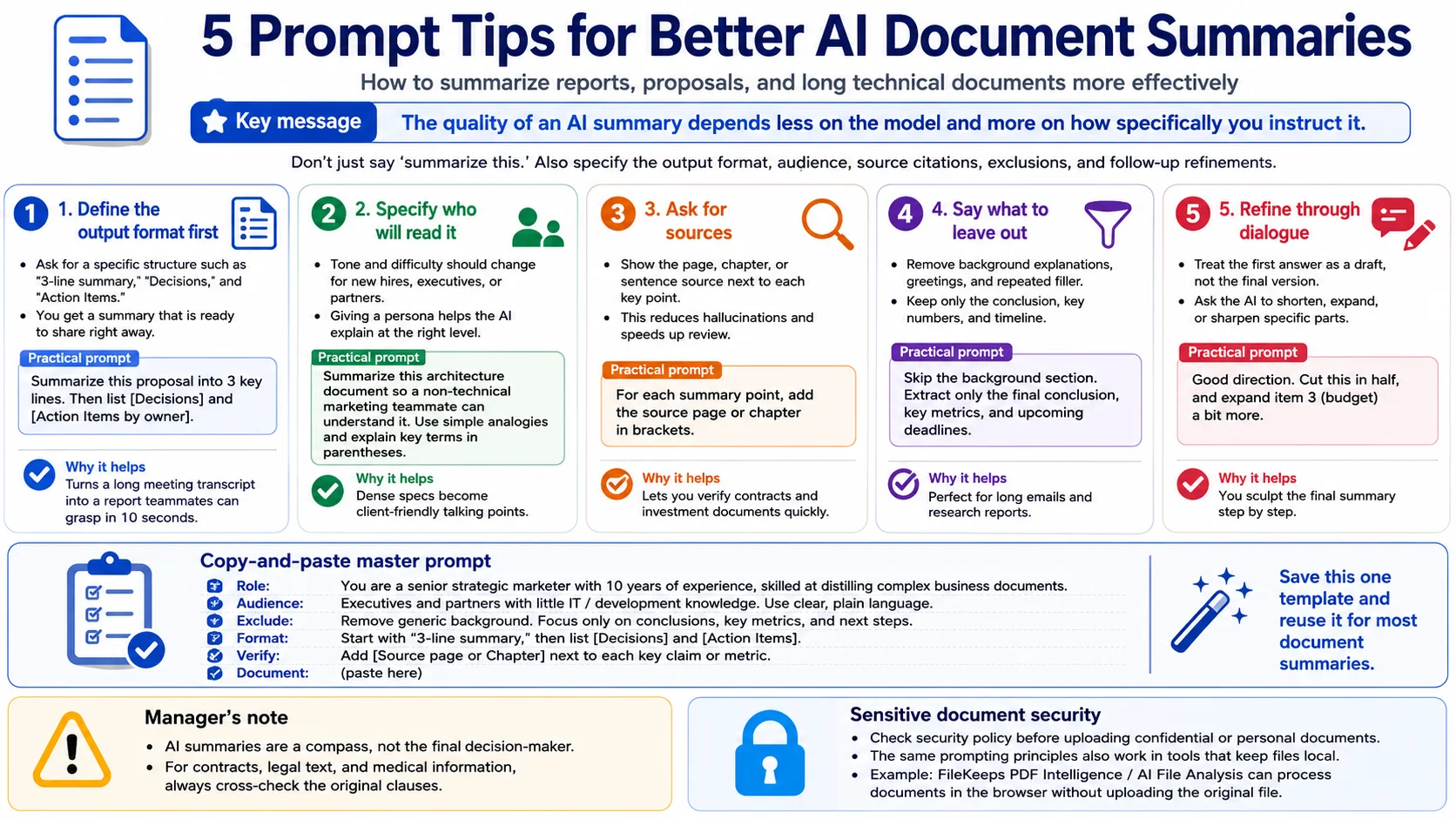
1. Stop the vague summary — define the shape of the output
Ask for "a summary" and the AI splits it into paragraphs however it likes. If you're going to paste it into a report or share it in Slack, specify a readable shape from the start.
💡 Prompt: "Condense this proposal into a 3-line key summary. Below it, lay out 'Decisions' and 'Action items by owner' each as a clear bulleted list."
📌 In practice — A one-hour meeting transcript is enormous once it's text. Ask for a plain summary and you get another wall of text. Apply the prompt above and it breaks into [3-line summary / Decisions / Action items], so a teammate who missed the meeting grasps the context in ten seconds.
2. Who's reading this? — give it a persona
The same security policy needs completely different language for a new hire versus the executive team. Tell the AI who the reader is, and it adjusts word choice and tone to their level on its own.
💡 Prompt: "Summarize this technical architecture doc so a marketer with zero dev background can follow it, using simple analogies. For any unavoidable jargon, explain it very plainly in parentheses."
📌 In practice — You have to walk into a client meeting holding a dense spec from an outside dev shop. Read the jargon out loud and the room goes cold. Give it the "non-expert audience" option and the AI turns hard terms into intuitive lines like "widening the highway the data travels on" — and you walk in with persuasive material.
3. "Where's that from?" — demand the source
Report an AI summary at 100% face value and you can get burned when it doesn't match the original. To curb hallucination and halve your review time, keep a fact-check tether.
💡 Prompt: "Right next to each summary point, clearly mark the source — which page or which sentence of the original it came from."
📌 In practice — Handy for reviewing a multi-page contract or shareholders' agreement (SHA). When "Per Article 3(2), the investor holds veto rights" has a page number beside it, you can skim the essentials and jump straight to the original for anything that feels off — a big lift in reliability.
4. Declare what to cut before what to keep
A good summary is decided less by what you add than by what you throw away. Declare up front that you want the fluff, boilerplate greetings, and background stripped, and the density of the summary jumps.
💡 Prompt: "Cut the market-background setup and the usual pleasantries entirely. Pull out only the final conclusions, the key figures (metrics), and the timeline (deadlines)."
📌 In practice — Perfect for a long email from an overseas partner or an industry report from a research firm. You don't have time for the whole intro, so you filter for just the substance — "this year's projected growth rate (%)" and "when the regulation takes effect."
5. Don't stop at one — tighten it through conversation (iterative prompting)
A common mistake is judging the AI on its first answer alone — satisfied or disappointed. Rather than chasing a perfect summary in one shot, sculpt the result with feedback.
💡 Prompt: "Direction's good, but it's still a bit long — compress that last answer to exactly half. Everything else is fine; just flesh out point 3 (budget) a little more."
📌 In practice — When summarizing a paper or a long column, get the rough arc first, then follow up: "Now deep-summarize only the most contested part," or "Summarize the whole thing as a single line of copy." Like a back-and-forth with a sharp assistant, you shape the exact final version you want.
🎯 All five in one — a master prompt to steal
Instead of typing the rules separately every time, drop them into one block and just swap the document. It bakes in the role (persona), the audience, what to exclude, the shape, and source verification all at once.
You are a senior strategic marketer with 10 years of experience who distills complex business documents down to the essentials. Summarize the document I provide against these four criteria.
- Reader: This summary will be read by executives and partners with no IT/dev background. Write in the plainest, most straightforward tone possible.
- Exclude: Drop all the introductory background and anything obvious. Build it only around the final conclusions, the key metrics, and the upcoming schedule.
- Shape: Start with a "3-line key summary" at the top, then break out [Decisions] and [Action items] below it as lists.
- Verify: Next to any cited figure or claim, always note the source [page or chapter] of the original in parentheses.
Document: (paste here)
Give the AI a role and it stops acting like a "summary machine" and starts reasoning like a 10-year strategist. If you only have room to remember one thing, save this template.
⚠️ A word from a senior manager
An AI summary is a compass, not the destination. In high-risk areas especially — contracts, legal documents, medical information — treat the AI's points as a guide and always cross-check the relevant clause against the original with your own eyes. That habit is what prevents costly mistakes.
🔒 If the document is confidential or sensitive
Uploading a confidential proposal, or a résumé and contract full of personal data, to an outside AI server without a second thought can be a security risk. The good news: the five prompts above work just the same in tools that never send your file out.
FileKeeps's PDF Intelligence and AI file analysis don't upload your original file — they process it in your browser. Handle sensitive originals this way.