Automatically Create Presentation Slides with Claude: pptx and theme-factory Skills
Learn how to draft slide decks using Claude's pptx skill and apply unified designs with theme-factory to cut down your presentation prep time.
Half of presentation preparation is making slides. By using Claude's official skills pptx and theme-factory, you can significantly automate draft creation and design. (If Claude Skills are new to you, check out the Guide to 17 Official Skills first.)
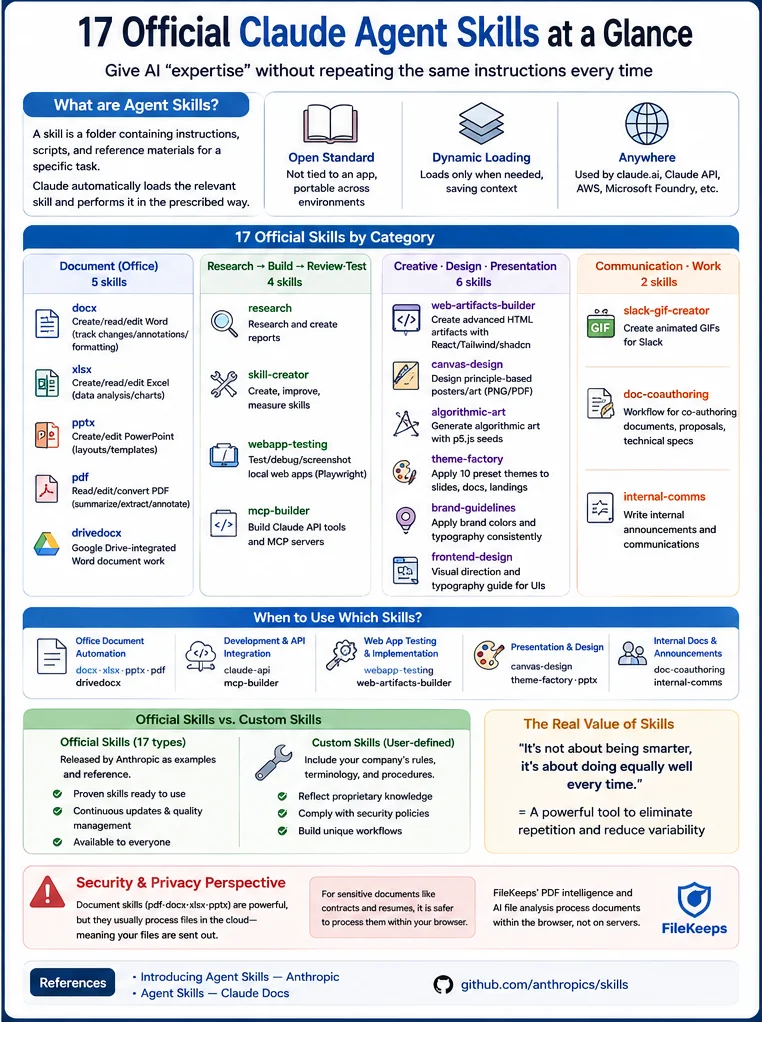
pptx — Generating and Editing Slide Decks
The pptx skill creates and edits PowerPoint slide decks. By utilizing layouts and templates, it can generate draft decks in response to requests like, "Make a 10-slide proposal presentation with this content." It can also open and modify existing .pptx files.
theme-factory — Applying Unified Design
theme-factory is a skill that consistently applies themes (colors, fonts) to outputs like slides, documents, and landing pages. It features 10 preset themes, allowing you to instantly bring a unified look to a bland draft.
Practical Workflow
- Start with the message — First, organize the what, who, and why (logic comes before slides).
- Drafting with pptx — Generate a slide draft using your organized outline.
- Theming with theme-factory — Choose a fitting theme to unify the design.
- Human finishing touches — Personally review and edit key metrics, images, and wording.
AI slides are ultimately just drafts. Make sure to personally verify the core message and numbers of your presentation. It is a tool to save time, not to replace your judgment.
Tips for Better Results
- Specify length — "Within 8 slides," "3 bullet points per slide"
- Specify target and tone — "For executives, concise" vs. "For customers, easy to understand"
- Specify structure — "Problem → Solution → Evidence → Next Steps"
For Sensitive Content
If you are preparing a sensitive presentation—such as internal strategy or unreleased financial performance—think twice before handing everything over to the AI. In particular, if the source documents (PDFs, Excel files) you want to attach are sensitive, it is safer to handle them within your browser first.
FileKeeps' PDF Tools and AI File Analysis process files directly in your browser without sending them to a server. Handle safe-to-publicize materials quickly with Claude skills, and keep sensitive files on-device.